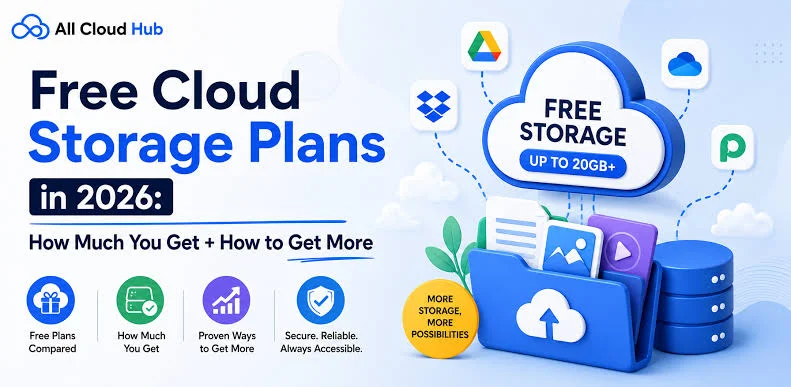

- MEGA: Twenty gigabytes of free space with zero knowledge encryption for large backups.
- Google Drive: Fifteen gigabytes of shared storage with top collaboration tools and built in document editors.
- pCloud: Up to ten gigabytes of free space with dedicated video and music streaming capabilities.
- Proton Drive: Up to five gigabytes of encrypted storage focused on maximum privacy and Swiss legal protection.
- Microsoft OneDrive: Five gigabytes of free space with seamless Windows integration and Personal Vault security.
- Dropbox: Two gigabytes of free storage offering fast file syncing and broad application support.
More than sixty percent of computer owners lose important files every year due to sudden hard drive crashes or device theft. Replacing a broken phone or laptop is annoying, but losing precious family photos and critical documents hurts much worse. The best free cloud storage services in 2026 give you a safe place to store your digital life without costing a single penny. You can access your files from any computer, tablet, or smartphone whenever you have an internet connection.
Getting free storage space is simpler than ever before. Many top companies offer generous free plans that let you back up photos, share documents, and collaborate with friends. Finding the right platform depends on how much space you need and how you plan to use it. This comprehensive guide covers the top free storage providers available today so you can protect your data immediately.
Why You Need Free Cloud Storage Today
Physical external hard drives and USB thumb drives can fail without any warning. They can get lost in a move, damaged by water, or stolen from your bag. Storing your files on remote servers protects your data from local disasters and equipment breakdown.
Cloud storage also lets you open files from any location in seconds. You can start writing a document on your home desktop and finish it on your phone during your morning bus ride. Sharing large files with friends or coworkers becomes as simple as sending a secure link. Using top free storage services saves you time while giving you peace of mind.
Google Drive: The Best Free Option for Most People
Google Drive remains the top overall pick for everyday users. Every new Google account comes with fifteen gigabytes of free storage space right out of the box. That space is shared across Google Drive, Gmail messages, and Google Photos.
The platform integrates directly with Android phones, Chromebooks, and popular web browsers. You can create text documents, spreadsheets, and slide shows directly inside the web interface without installing extra software. Multiple people can edit the same document at the exact same time, which makes group projects effortless.
File search is another major strength of Google Drive. It can read text inside scanned PDF files and images, making it easy to find old receipts or notes. The only drawback is that large email attachments and high resolution photos will fill up your fifteen gigabytes quickly. Regular cleanup of your inbox will help you keep plenty of free space for your most important files.
MEGA: The Best Choice for Massive Free Space
If you need raw storage capacity above all else, MEGA is the clear winner among free providers. New accounts receive twenty gigabytes of free space without requiring any credit card details. This makes MEGA ideal for backing up large photo albums, video clips, and full system backups.
Privacy is a major focus for MEGA. The platform uses zero knowledge encryption, which means your files are locked before they leave your device. Only you hold the encryption key to read your stored data. Even the engineers working at MEGA cannot view your uploaded files or see your photo backups.
The desktop and mobile applications make automated folder syncing simple. You can designate specific folders on your computer to back up automatically whenever you save a new file. Just remember to save your master recovery key in a secure spot. If you lose your password and recovery key, MEGA cannot reset your account or recover your data.
Microsoft OneDrive: The Ideal Solution for Windows Users
Microsoft OneDrive comes preinstalled on almost every modern Windows computer. Setting up an account gives you five gigabytes of free cloud space that connects directly with your Windows file explorer. You can save documents directly to the cloud just like saving to a normal local folder.
OneDrive works smoothly with free web versions of Microsoft Word, Excel, and PowerPoint. You can access and edit your office files from any web browser without buying a software license. The mobile app can also back up camera photos automatically as soon as you take them.
One standout feature in OneDrive is the Personal Vault. This is a protected folder inside your cloud storage that requires extra identity verification to open, such as a fingerprint scan or SMS code. It locks automatically after a short period of inactivity, making it a great place to store copies of passports and sensitive financial records.
pCloud: High Quality Media Playback and Generous Space
pCloud gives users up to ten gigabytes of free storage through simple setup steps. You start with a base allocation and earn additional gigabytes by verifying your email, downloading the mobile app, and inviting friends. The service is based in Switzerland and follows strict data privacy laws.
Music lovers and video creators will appreciate the built in media player inside pCloud. You can stream video files and audio playlists directly from the cloud without downloading them to your phone first. This feature saves huge amounts of storage space on mobile devices with limited internal memory.
The desktop application creates a virtual drive on your computer instead of taking up local hard drive space. You can view and manage all your cloud files without downloading them until you actually open them. File sharing links are customizable, allowing you to set passwords and download limits on shared folders.
Proton Drive: The Top Choice for Maximum Privacy
Proton Drive is built for people who put data privacy above everything else. Based in Switzerland, the company operates under some of the strongest privacy regulations in the world. The service provides up to five gigabytes of free storage with complete end to end encryption on all files and file metadata.
Unlike standard providers, Proton Drive encrypts file names, folder titles, and file sizes along with the actual content. Third parties and government agencies cannot see what types of files you store in your account. Independent security experts regularly review the open source software code to ensure maximum safety.
Sharing files with Proton Drive is safe and straightforward. You can create secure download links with expiration dates and password protection. The clean interface makes it simple to upload and organize documents without unnecessary clutter.
Dropbox: Reliable Syncing for Everyday Documents
Dropbox is one of the oldest and most reliable cloud services on the web. The basic free tier includes two gigabytes of storage space, which is smaller than other options but very dependable. Its file syncing technology is fast and rarely encounters technical errors.
The platform works with almost every third party productivity application on the market. You can connect Dropbox to project management tools, digital signature apps, and creative design software. Restoring deleted files or reverting to an earlier version of a document takes just a couple of clicks.
Dropbox is great for storing school assignments, PDF manuals, and important text documents. You can also earn extra free space by referring friends and coworkers to the platform. While the initial space is modest, the fast sync speeds make it a favorite for simple file transfers.
Feature Breakdown of Top Free Storage Services
Evaluating top free storage providers side by side helps you select the best platform for your daily habits. Here is how the leading services compare on free space and core strengths:
How to Combine Services for Over Fifty Gigabytes of Free Space
You do not have to limit yourself to just one cloud provider. Creating free accounts across several platforms allows you to collect more than fifty gigabytes of free online storage. Separating your digital files across different providers also keeps your digital life well organized.
Use Google Drive for your daily office work, collaborative spreadsheets, and shared work documents. Keep your high resolution video clips, game backups, and large archives inside your twenty gigabyte MEGA account. Store your personal photos on pCloud so you can stream your favorite songs and videos on the go.
Keep your most sensitive files like tax documents and passport scans inside Proton Drive or OneDrive Personal Vault. This organized approach ensures you never run out of room on any single service. It also prevents you from having to pay expensive monthly subscription fees to giant tech corporations.
Step by Step Guide to Securing Your Cloud Files
Keeping your stored files secure should be your top priority when setting up any free cloud account. The first step is creating a unique, strong password for every service you join. Avoid reusing passwords that you already use for email, social media, or banking accounts.
Enable two factor authentication on every single cloud storage account right away. This security layer requires a temporary code from an authenticator app on your phone whenever you sign in from a new computer. Even if a hacker guesses your password, they cannot access your files without your physical phone.
You can also encrypt sensitive files on your computer before uploading them to the cloud. Free programs like Cryptomator lock your files with a private password before they leave your hard drive. This extra step ensures that no one can view your personal records even if your cloud provider suffers a server breach.
Tips to Maximize Your Free Storage Space
Managing your storage space carefully prevents you from hitting free account limits unexpectedly. Start by compressing large files and folders into zip archives before uploading them. Compressing files reduces their overall size and lets you store more items in your cloud drive.
Review your uploaded files every few months to remove duplicates and unwanted files. Delete temporary downloads, blurry photos, and outdated document drafts that you no longer need. Empty your cloud trash folder regularly, because deleted files often continue counting against your storage quota until the trash is emptied.
Turn off automatic video uploads on your mobile phone if your cloud space is running low. Video files take up hundreds of times more space than regular text documents and photos. Upload videos manually from your home computer so you only store clips that you truly want to keep forever.
Watch Out for Inactivity Policies
Many free cloud storage providers have strict rules regarding inactive accounts. If you do not sign in to your account for six to twelve months, the company may mark your account as abandoned. Once an account is flagged as inactive, the provider may delete your stored files permanently.
Preventing account deletion is simple if you create a regular check in routine. Set a recurring reminder on your calendar to log into all your cloud accounts at least once every three months. Uploading a single small file or browsing your folders is enough to keep your account active and healthy.
Make sure your recovery email address and phone number stay current on every platform. If you ever forget your login details, you will need access to your recovery email to regain control of your files. Keeping your contact information accurate prevents you from getting permanently locked out of your stored data.
Picking the Perfect Provider for Your Daily Routine
Choosing the right free storage option comes down to the types of files you handle most often. Students and office workers who collaborate on documents daily will get the most value from Google Drive and Microsoft OneDrive. The built in word processors and real time collaboration tools make team projects fast and simple.
Creative professionals, photographers, and video editors should look closely at MEGA and pCloud. The generous file limits and dedicated media streaming players make managing heavy media files much easier. You can store high resolution image galleries and video folders without filling up your phone memory.
Privacy conscious users who handle sensitive medical, legal, or financial papers should choose Proton Drive. The strict zero knowledge encryption and Swiss privacy laws ensure that your confidential files stay completely private. Evaluating your daily needs helps you select the service that fits your lifestyle best.
Conclusion and Final Call to Action
Backing up your personal data does not require expensive hardware or costly monthly subscriptions. The best free cloud storage services in 2026 give you reliable security, generous space, and easy access to your files from anywhere on earth. Setting up an account takes less than two minutes and protects your valuable memories from hardware failures.
Do not wait for your hard drive to crash before you start protecting your important documents. Pick one or two of the top free storage providers from this guide, register your free account, and upload your critical files today. Taking this simple action now will ensure your photos, work files, and personal data remain safe for years to come.

Discussion
No comments yet. Be the first to share your thoughts!
Leave a Comment