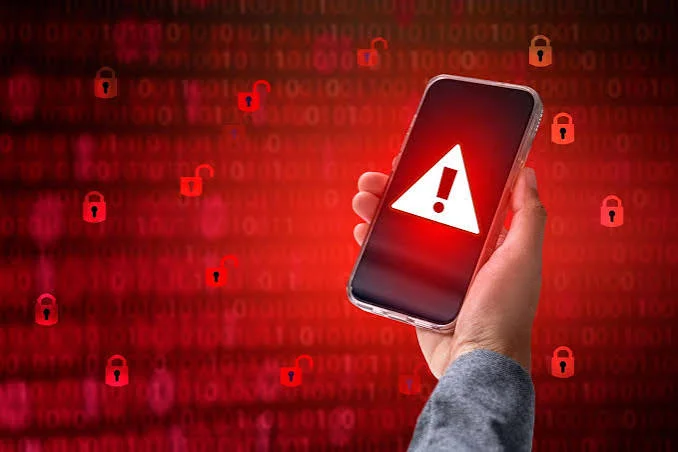

More than sixty percent of digital fraud attempts now target mobile phones. Millions of people carry their bank accounts, private photos, and personal messages in their pockets every day. A compromised smartphone exposes your entire private life to cyber criminals. Learning How to Tell If Your Phone Has Been Hacked helps you catch security breaches early and protect your identity.
Smartphones store sensitive work emails, home addresses, and credit card numbers. When malicious software infects your device, the signs are not always obvious immediately. Hackers work hard to hide their background tracking programs so they can collect your data quietly. Spotting early warning signs gives you the power to stop intruders before they steal your money.
Sudden Battery Drain and Overheating Issues
A healthy smartphone battery loses power slowly as you browse websites, play games, or stream music. If your battery drops from full to empty in two hours while resting in your pocket, something is wrong. Hidden tracking software runs heavy calculations in the background, consuming large amounts of battery juice constantly. Malicious programs record your keystrokes, track your location, and transmit files without your permission.
Excessive heat is another clear indicator of unauthorized background activity. Phones naturally get warm when charging or running demanding three dimensional games. However, your device should never feel hot to the touch while sitting idle on a nightstand. Overheating without active use suggests that hidden spyware is transmitting your location or recordings.
Check your battery settings menu to see which applications consume the most power. If you notice an unknown service using forty percent of your daily energy, investigate it immediately. Legitimate apps do not consume massive power while running in the background. Removing battery draining rogue apps helps your phone cool down and run normally again.
Mysterious Data Spikes on Your Monthly Bill
Reviewing your monthly cellular bill can reveal hidden intrusions before you notice other physical symptoms. Most people use a predictable amount of data each month for navigation, social feeds, and video playback. A sudden surge in data consumption indicates that an unauthorized program is uploading large files. These unexpected spikes happen when malware transfers your private photos, contacts, and browser histories to hacker servers.
Malicious apps need internet bandwidth to send stolen information to remote locations. Check your phone system settings to see which specific applications consume the most mobile data. If an unknown utility app uses gigabytes of background data, delete it immediately. Tracking your data patterns helps you spot suspicious file transfers early.
You can also restrict background data access for individual applications to limit damage. Set up data limit alerts on your phone to catch sudden bandwidth spikes right away. If your data usage doubles overnight without extra streaming or video calls, treat your phone as compromised. Contact your mobile carrier to dispute unauthorized charges and verify account security.
Unfamiliar Apps and Strange Home Screen Icons
Take a close look at every single icon installed on your home screen and app drawer. Hackers often install malicious spyware by disguising it as a basic calculator, flashlight, or battery saver tool. If you see an unfamiliar application that you never downloaded from an official app store, treat it as a threat. These rogue programs often gain administrator privileges to spy on your daily activities.
Some malicious applications are designed to hide their icons completely after installation. You can find these ghost programs by checking the full application manager inside your system settings menu. Look for apps with blank names, generic android icons, or excessive system permissions. Removing unauthorized software closes the doorway attackers use to monitor your screen.
Review which apps have permission to access your contacts, storage, and location. A simple calculator app never needs permission to read your text messages or access your microphone. Revoke any permissions that feel unnecessary or dangerous for the app stated purpose. Keeping your app list clean and minimal is one of the best defenses against digital snooping.
Sluggish Performance and Constant App Crashes
Malware hogs central processor power and system memory, leaving very little capacity for normal phone tasks. Your keyboard might lag while typing simple text messages, or web pages might take forever to load. Apps that used to open instantly may freeze, stutter, or crash unexpectedly back to the home screen. This general slowdown happens because hidden background software fights your legitimate apps for memory.
Restarting your phone usually clears temporary glitches, but malware will restart its hidden processes right away. If your phone remains frustratingly slow after multiple reboots, unauthorized software is likely hogging system resources. Sluggish operation makes daily phone use annoying while signaling deeper security vulnerabilities. Do not ignore persistent lag on a modern smartphone with capable hardware.
Test your phone response times across different basic tasks like opening settings or loading the camera. If basic offline utilities take several seconds to open, your processor is overloaded with background tasks. Run a scan with a reputable mobile security tool to check for active trojans or cryptominers. Cleaning out digital junk restores snappy performance and secures your private data.
Suspicious Popups, Ads, and Browser Glitches
Adware is a specific type of malicious software that floods your display with aggressive advertising popups. These invasive popups can appear over your home screen even when all internet browser tabs are closed. Clicking on these deceptive ads often downloads even more dangerous viruses onto your device. Frequent popups warning that your phone is infected are almost always fake scams designed to trick you.
Your default mobile browser might also begin redirecting you to strange gambling or adult websites automatically. The browser homepage might change without your permission, or unfamiliar bookmarks might appear in your history. These unwanted browser alterations prove that third party code has hijacked your web settings. Clearing browser cache files and removing shady extensions helps restore normal browsing safety.
Never call the phone numbers displayed on flashing warning screens. Legitimate operating systems like Android and iOS never display phone numbers in security popups. Close the affected browser tab immediately and clear your website data in settings. Installing a trusted content blocker adds an extra layer of defense against malicious web scripts.
Unsent Messages, Ghost Calls, and Strange Social Activity
Check your outgoing message history and call logs for activity you do not recognize. Hackers use infected phones to send phishing text messages to your friends, family members, and business contacts. These deceptive messages often contain dangerous web links that spread the virus to other devices. Premium rate phone calls made at midnight to international numbers can also inflate your monthly bill.
Your contacts might ask you why you sent them strange links or asked for money via text. Friends might also mention receiving phone calls from your number that you never made. Furthermore, your social media accounts might show posts, direct messages, or friend requests that you never approved. Unauthorized account activity proves that someone else controls your communication channels.
Log out of all active sessions across your social media and messaging platforms immediately. Review connected devices inside your account settings to see if unknown locations appear on the list. Change your account passwords from a separate, clean computer to lock out intruders. Alert your close friends so they do not click malicious links sent from your compromised accounts.
Unexplained Account Lockouts and Password Reset Alerts
Receiving sudden text messages containing two factor verification codes is a major security warning sign. These alerts mean someone is actively trying to log into your email, social media, or bank accounts. If you did not request a password reset, an attacker has your username and is attempting to bypass security checks. Cyber criminals often use automated software to brute force login credentials until they gain entry.
Hackers who gain full control of your device often change your login credentials right away to lock you out. If your regular passwords stop working across multiple services simultaneously, act immediately. Regaining control requires using backup recovery emails and contacting service providers before the hacker drains financial accounts. Fast action prevents criminals from stealing your digital identity permanently.
Set up an authenticator app instead of receiving verification codes through SMS text messages. Attackers can intercept SMS messages through SIM swapping or mobile spyware. Authenticator apps generate codes locally on your device, making interception much harder for hackers. Adding biometric locks like fingerprint scans to sensitive banking apps provides strong extra protection.
Microphone and Camera Indicators Turning on Randomly
Modern Apple and Android smartphones feature small privacy dots in the top corner of the screen. A green or orange dot lights up whenever an application accesses your camera or microphone. If these privacy dots light up while you are simply reading an article, an app is recording you secretly. Spyware often captures private conversations and takes hidden photos to blackmail victims.
Review app permissions inside your settings to see which programs have access to your hardware sensors. Shady apps often request camera, microphone, and location access during setup for no logical reason. Revoking unnecessary permissions prevents suspicious software from listening to private conversations. Protecting your sensors guarantees that your private living spaces remain secure.
Covering your phone camera with a small physical slider offers total physical privacy when you are not taking pictures. Pay attention to strange background noises or echo sounds during regular phone calls as well. While static can happen on weak cell connections, persistent clicking sounds might indicate call interception software. Staying observant helps you catch hardware snooping before personal privacy is compromised.
Checklist: 10 Common Signs Your Phone Has Been Hacked
- Battery percentage drops rapidly even when the device sits idle in standby mode.
- The phone feels hot to the touch without playing games or running heavy apps.
- Monthly cellular data usage spikes dramatically without any change in your daily browsing habits.
- Unfamiliar apps, utility tools, or games appear on your home screen or app drawer.
- Aggressive popup ads appear across your display even when your web browser is closed.
- Your phone takes a long time to open basic menus, freezes often, or crashes constantly.
- Outgoing text messages or phone calls appear in your history that you never made.
- Two factor authentication codes and password reset emails arrive unexpectedly in your inbox.
- Green or orange privacy dots turn on when you are not using camera or recording apps.
- Your mobile browser redirects you automatically to unfamiliar, suspicious web pages.
How Hackers Gain Access to Mobile Devices
Criminals use diverse methods to slip malicious software onto personal smartphones. One common attack vector is public wifi networks found in coffee shops, airports, and hotels. Unsecured public wireless networks allow attackers on the same connection to intercept unencrypted internet traffic. Using a virtual private network encrypts your browsing data, keeping your passwords safe from nearby snoopers.
Phishing messages sent through SMS text, known as smishing, are another common entry point for malware. These deceptive messages pretend to be delivery notices, bank fraud alerts, or tax refunds requiring immediate action. Clicking the link inside the message downloads a malicious file directly onto your handset. Always verify unexpected alerts through official websites rather than clicking direct text links.
Downloading applications from third party websites outside official app stores carries extreme security risks. Shady app repositories do not scan software for viruses, allowing hackers to publish infected clones of popular games. Stick exclusively to the Google Play Store or Apple App Store when downloading new software. Official app stores review developer code and remove dangerous programs to protect consumers.
SIM swapping is a clever physical attack where criminals trick your mobile carrier into moving your phone number to their SIM card. Once the swap completes, your phone loses service and the attacker receives all your incoming calls and verification texts. Protect your carrier account by setting up a unique security PIN with customer support. A strong carrier PIN prevents unauthorized staff from transferring your phone number without your permission.
Step by Step Guide to Clean Your Compromised Phone
Taking fast action removes malicious software and restores your personal digital security. Follow these practical steps immediately if you believe your device is infected:
- Disconnect your phone from the internet right away by turning on airplane mode and disabling wifi.
- Boot your phone into safe mode to prevent third party malware from running in the background.
- Open your device settings, visit the application manager, and uninstall any unfamiliar or shady apps.
- Clear the cache and browsing history across all web browser apps installed on your device.
- Download a trusted, reputable mobile security scanner from an official store to scan for hidden trojans.
- Change all your passwords for email, banking, and social accounts using a separate, secure computer.
- Back up your essential photos and contacts to a secure cloud drive or computer storage.
- Perform a full factory reset to wipe all malicious software and restore clean operating files.
How to Secure Your Accounts After a Security Breach
Cleaning your physical phone is only the first half of recovering from a digital attack. You must also secure every online account that was accessible from the compromised device. Start by updating your primary email account password, as hackers use email access to reset passwords on other websites. Create long, unique passphrases that combine letters, numbers, and symbols for each separate account.
Check your bank accounts, credit card statements, and digital payment apps for unauthorized charges. If you notice strange transactions, contact your financial institution immediately to freeze cards and reverse fraudulent charges. Many banks offer zero liability protections if you report fraud within sixty days of the statement date. Keeping close watch on your money prevents small fraudulent charges from turning into massive theft.
Alert the major credit bureaus to place a temporary fraud alert on your credit profile. A fraud alert requires lenders to verify your identity before opening new credit cards or loans in your name. This simple precaution stops hackers from opening fraudulent accounts using personal information stolen from your phone. Protecting your credit score saves you from months of financial headaches down the road.
Daily Habits to Prevent Future Mobile Attacks
Maintaining strong mobile security requires simple, consistent habits rather than complex technical tools. Keep your operating system and all installed applications updated to the newest available versions. Software updates include critical security patches that close known vulnerabilities before hackers can exploit them. Turning on automatic updates ensures that your device receives protection as soon as fixes are released.
Avoid using public USB charging stations found in airports, malls, and public transit stations. Malicious charging kiosks can use a technique called juice jacking to transfer malware through charging cables. Use your own wall adapter plugged into standard electrical outlets, or carry a portable power bank instead. Simple physical precautions keep your hardware safe when traveling away from home.
Set a strong lock screen PIN containing at least six digits, or use biometric authentication like fingerprints. Avoid simple combinations like birthdays, sequential numbers, or repeated digits that anyone can guess. Configure your screen timeout setting to lock the display automatically after thirty seconds of inactivity. A locked screen stops curious strangers from installing spyware if you leave your phone unattended on a table.
When to Perform a Full Factory Reset
A factory reset is the ultimate nuclear option when dealing with persistent, deeply rooted spyware. If your phone continues to overheat, drain battery rapidly, or show popups after manual cleaning, reset the device completely. A factory reset wipes the entire storage drive, deleting all applications, files, and operating settings. It returns the handset to the exact software state it had when it left the factory box.
Before initiating a reset, back up your irreplaceable photos, documents, and contacts to a secure computer or cloud service. Do not create a full system image backup, as that might save the hidden malware and restore it after the reset. Export your contacts as a clean file and upload raw photos individually. This selective backup ensures you keep your memories while leaving the malicious software behind.
Once the reset finishes, set up your device as a brand new phone rather than restoring from an old backup image. Download your essential apps manually one by one from the official app store. Change your lock screen PIN and set up biometric security before adding payment cards. A clean start gives you absolute certainty that your phone is completely safe and free from tracking tools.
Take Control of Your Mobile Security Today
Learning How to Tell If Your Phone Has Been Hacked gives you the knowledge needed to protect your privacy and finances. Watching for rapid battery drain, mysterious data spikes, strange apps, and unauthorized messages helps you catch intrusions early. Mobile security is not about living in constant fear, but about practicing smart daily habits that keep your private data safe.
Take five minutes right now to audit your smartphone security. Review your installed applications, delete tools you no longer use, and update your operating system to the latest version. Turn on two factor authentication on your primary email and banking accounts using an authenticator app. Take charge of your digital safety today and keep your personal life secure from online hackers.

Discussion
No comments yet. Be the first to share your thoughts!
Leave a Comment